Why you need a Personal Data OS
Your health and life live in silos. You get fragments: numbers without story, events without metrics. That makes it hard to:
- Spot patterns across sleep, stress, work, travel.
- Explain changes to yourself (or a clinician) with evidence.
- Run small experiments and know if anything actually worked.
- Use AI assistants meaningfully.
A Personal Data OS solves this by unifying signals and moments into one private, portable timeline you control.
Context Desktop - Your Personal Data OSWhat a personal data OS isn’t
- Single-purpose (steps, macros, workouts), each with its own view.
- Static charts and monthly recaps; little context.
- Sharing = PDFs or screenshots; hard to keep current.
What A Personal Data OS is
- A layer above apps that unifies data + life events in one timeline.
- Adds context (notes, tags, location, environment) so metrics have meaning.
- Built for sharing and AI with granular scopes, time-bound links, and exports.
Your life's data lined up in a timeline on your phone.
How Context works as your OS
- Timeline — A single, filterable stream of your health and life (sleep, HRV, workouts, meetings, travel, symptoms).
- Annotations & tags — Quick notes for mood, energy, meals, meds, and events to explain the why behind the numbers.
- Location & environment — Auto-capture trips, time zones, weather/light; see how place and season affect you.
- Integrations — Apple Health, Oura, WHOOP, calendar, and more; import labs; attach files.
- Life API — Bring your own AI/agent. Answer questions using only the scoped data you approve; revoke anytime.
Add what you have now; grow over time. Your OS stays stable even as apps change.
Core use cases
- Sleep & recovery — Connect wearables, annotate evenings, and learn the routines that protect tomorrow’s energy.
- Life transitions — New job, parenting, surgery, perimenopause: make before → during → after visible.
- Personal experiments — 2–6 week trials (meal timing, caffeine, training load). Then‑vs‑now comparisons, not vibes.
- AI readiness — Ask your assistant to make you an end of week recap. Context sends only the last 7 days it needs.
Ownership, privacy, and exports
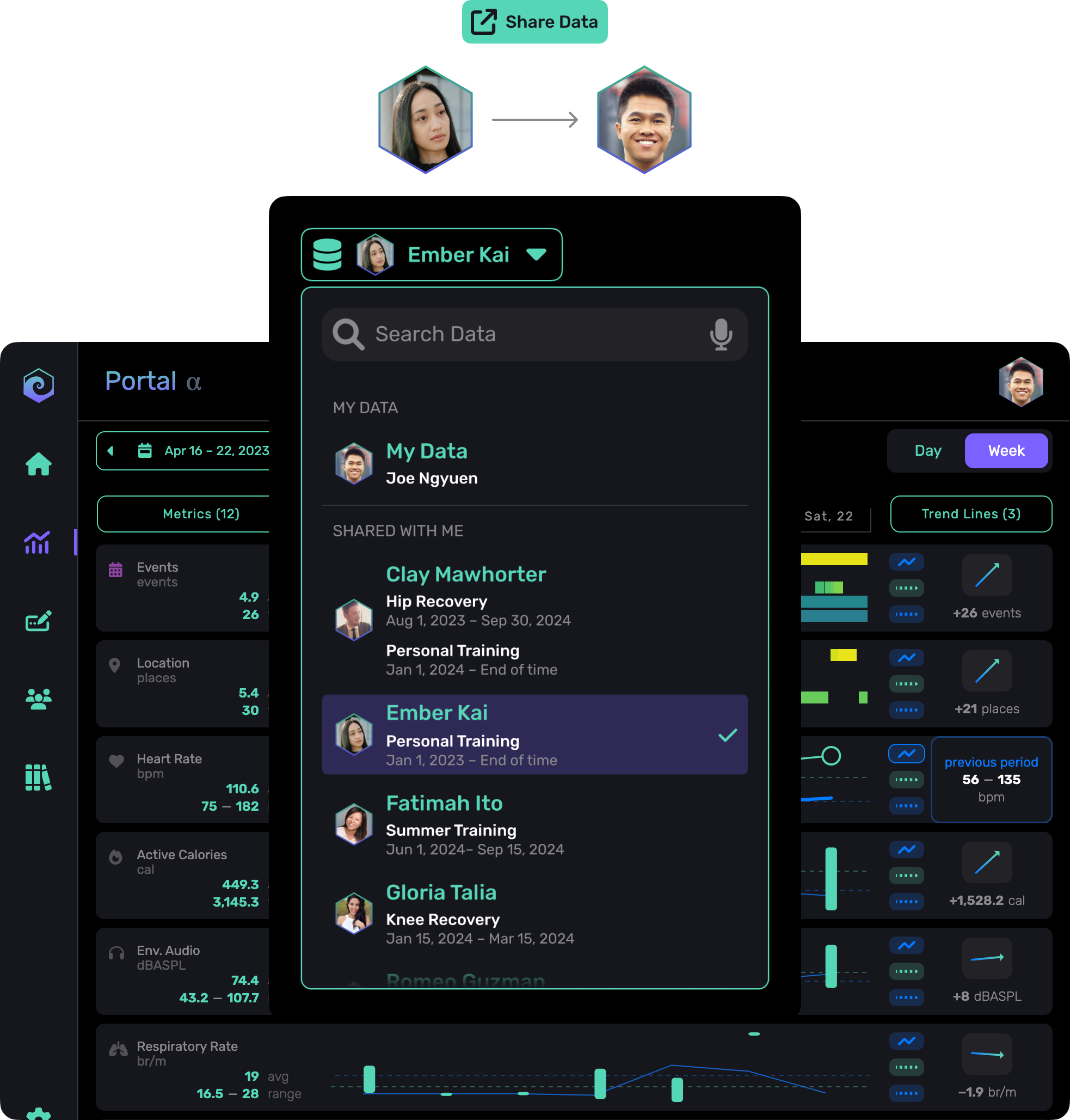
Context's Shared Awareness- You own your archive. Keep history across devices and apps.
- Granular sharing. Create redacted, time‑bound snapshots for clinicians, coaches, or partners.
- Least‑privilege agent access. Let your AI read just enough to answer a question; audit and revoke in one tap.
Getting started: your first 30 days
Day 0–3: Connect & orient
- Connect Apple Health / wearables / calendar; import recent labs.
- Add Annotations you’ll actually use: energy, stress, late meal, alcohol, travel.
Week 1–2: See your baseline
- Skim the Timeline each morning; record your Annotations.
- Annotate obvious events (late nights, tough workouts, travel) and notice lag effects.
Week 3–4: Run a tiny experiment
- Pick one lever (e.g., dinner 90 minutes earlier, phone‑free last hour, earlier light).
- Track for 10–14 days; compare Then vs Now on sleep/HRV/energy.
Milestone: Ask your AI 3 practical questions about the past week. If the answers help, keep that loop.
Chat with your data in Claude via Fulcra's Personal MCP server.
FAQ
Is Context another fitness app?
No. It’s a layer above your apps—a unified timeline, not a replacement.
Will this diagnose or treat anything?
No. It organizes and visualizes your data so you and your professionals can decide.
Do I have to Annotate everything?
No. Start with 2–3 annotations (e.g., energy, late meal). That’s enough to reveal patterns.
Can I switch devices later?
Yes. Your history stays in your datastore.
How does sharing work?
Create a time‑boxed, redacted link or grant minimal AI scope. You can revoke anytime.